
- Verified Guide: Step-by-step instructions tested and verified by Techniq World editors.
- Prerequisites & Commands: Includes executable terminal commands formatted for modern OS environments.
- Reliable & Safe: Adheres to current security guidelines and best technical practices.
Ray tracing in gaming is a rendering technique that simulates the behavior of light in real-time, producing highly realistic lighting effects such as reflections, shadows, and global illumination. Unlike traditional rasterization methods, which approximate light interactions using precomputed data, ray tracing calculates light paths dynamically, resulting in visually immersive environments. However, this computational intensity demands significant hardware resources, often at the expense of frame rates and system performance.
In-Depth Technical Breakdown
Ray tracing operates by tracing individual light rays from the camera through each pixel, calculating their interactions with objects in the scene. This process involves three core components: light source emission, object surface interaction, and eye ray termination. Modern implementations leverage ray tracing cores (RT cores) in GPUs like NVIDIA’s Ampere architecture, which accelerate intersection calculations using dedicated hardware. These cores offload work from the general-purpose CUDA cores, reducing latency and improving throughput.
Traditional rasterization, which dominates real-time rendering, relies on precomputed geometry data and screen-space calculations. While faster for static environments, it struggles with dynamic lighting and complex reflections. Ray tracing, by contrast, computes lighting interactions on-the-fly, enabling effects like soft shadows, environmental reflections, and global illumination. However, this precision comes at a cost: ray tracing can reduce frame rates by up to 50% in high-resolution settings, depending on hardware capabilities.
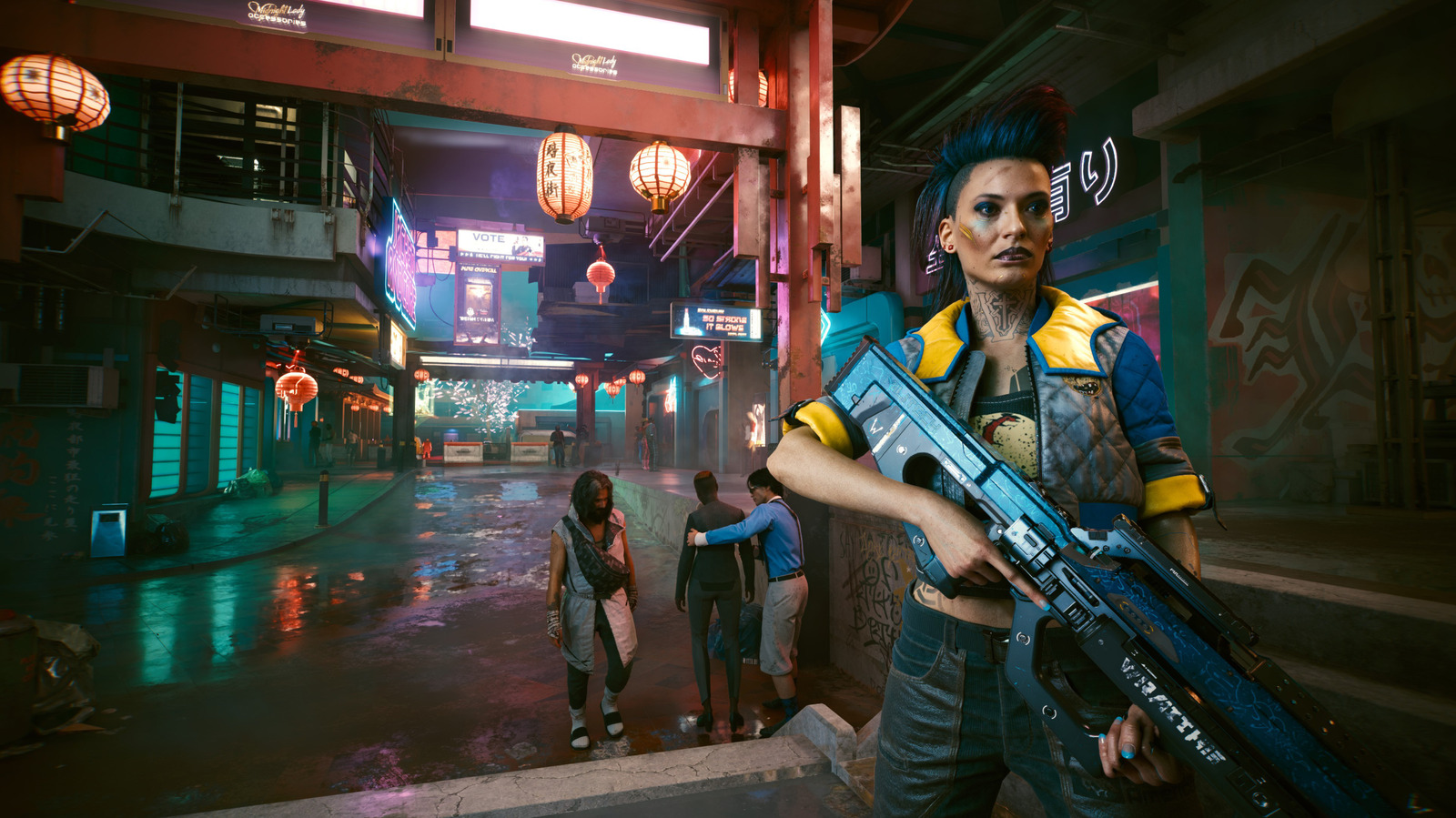
Performance benchmarks from recent game titles show significant variance. For example, Cyberpunk 2077 running on an RTX 4090 with ray tracing enabled achieves 60 FPS at 4K resolution, whereas the same GPU delivers 120 FPS without ray tracing. Similarly, Call of Duty: Modern Warfare experiences a 35% drop in frame rates when ray tracing is activated, even on high-end hardware. These discrepancies highlight the trade-off between visual fidelity and computational efficiency.
Practical Implementation & Use Cases
Ray tracing is implemented through APIs like DirectX Raytracing (DXR) and Vulkan Ray Query, which allow developers to integrate ray tracing into game engines. Modern titles such as Red Dead Redemption 2, Assassin’s Creed Valhalla, and Final Fantasy XVI use ray tracing for specific effects, such as reflections in water or dynamic lighting in open-world environments. Developers often employ hybrid rendering—combining rasterization for primary rendering and ray tracing for secondary effects—to balance performance and visual quality.
For end-users, ray tracing settings are typically accessible via in-game options or platform-specific overlays (e.g., NVIDIA Reflex or AMD FSR). Enabling ray tracing requires a compatible GPU, such as an NVIDIA RTX 30-series or later, or an AMD RX 7000 series with ray tracing support. System requirements also include sufficient RAM and a high-speed SSD, as ray tracing generates large amounts of data that must be processed in real-time.
The impact of ray tracing varies by scene complexity. In static environments with minimal lighting changes, the performance hit is minimal. However, in dynamic, high-detail scenes—such as urban environments with multiple light sources—frame rates can drop significantly. Gamers should adjust settings like ray tracing intensity, reflection resolution, and shadow quality to optimize performance.
Industry Implications & Trade-offs
The adoption of ray tracing has driven hardware innovation, with manufacturers pushing for more efficient RT cores and parallel processing capabilities. However, the technique remains limited by hardware bottlenecks, as current GPUs struggle to render complex scenes at high frame rates. This has led to a fragmented ecosystem, where only high-end systems can fully leverage ray tracing without sacrificing performance.
From a developer perspective, ray tracing requires careful optimization to avoid performance degradation. Techniques like denoising and adaptive ray tracing help mitigate computational costs by reducing the number of rays traced per frame. Additionally, cloud gaming platforms like NVIDIA Cloud Gaming and Google Stadia offer ray tracing capabilities without requiring local hardware, though latency and bandwidth limitations remain barriers.
The broader gaming industry faces a critical question: Is ray tracing a necessary feature, or a premium enhancement? While it enhances visual fidelity, its performance demands may exclude casual or budget-conscious gamers. As hardware improves, ray tracing could become more accessible, but its current state remains a niche feature for enthusiasts.
Recommendations & Best Practices
For users seeking to implement ray tracing, prioritize the following:
- Hardware Compatibility: Ensure your GPU supports ray tracing (RT cores or ray tracing units).
- System Optimization: Allocate at least 16 GB of RAM and use an NVMe SSD for faster data access.
- Setting Adjustments: Reduce ray tracing intensity, disable unnecessary effects, and prioritize performance over visual fidelity.
- Game-Specific Tuning: Some titles offer ray tracing presets; use these to balance quality and frame rates.
Developers should adopt hybrid rendering strategies and optimize ray tracing workloads to minimize performance overhead. For gamers, ray tracing is a valuable tool for immersive experiences, but its benefits must be weighed against system requirements and performance trade-offs.
Frequently Asked Questions
Q1: Does ray tracing significantly impact game performance?
Ray tracing can reduce frame rates by 30–50% in demanding scenarios, depending on hardware and game settings. Performance varies with scene complexity and ray tracing intensity.
Q2: Can ray tracing be used with older GPUs?
Ray tracing is only supported by GPUs with dedicated ray tracing hardware (e.g., NVIDIA RTX 30-series or AMD RX 7000 series). Older GPUs lack the necessary architecture to render ray-traced effects efficiently.
Q3: How do I enable ray tracing in my game?
Access in-game settings or platform-specific overlays (e.g., NVIDIA Reflex) to activate ray tracing. Ensure your GPU and drivers are up to date for compatibility.
