
- Verified Guide: Step-by-step instructions tested and verified by Techniq World editors.
- Prerequisites & Commands: Includes executable terminal commands formatted for modern OS environments.
- Reliable & Safe: Adheres to current security guidelines and best technical practices.
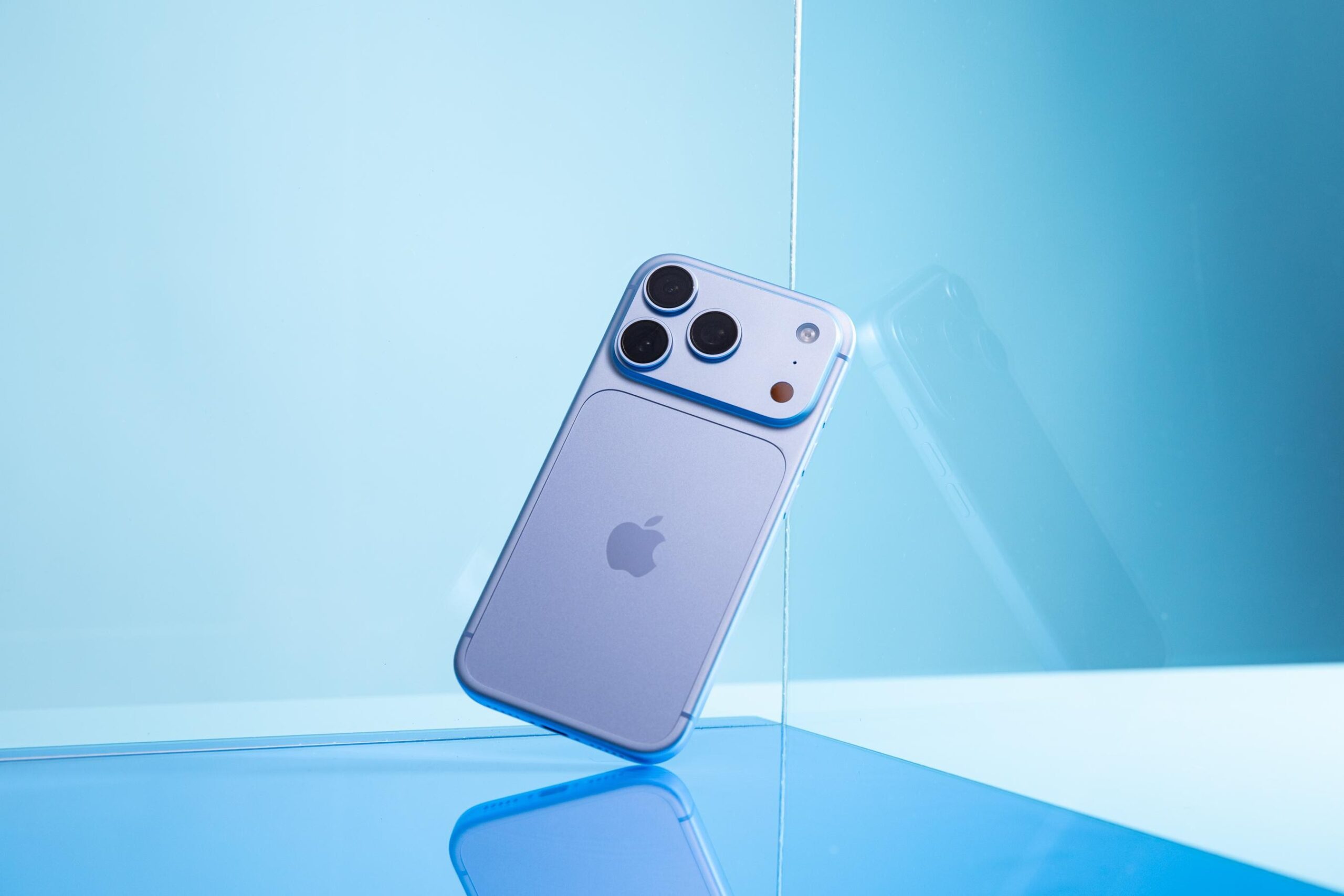
Apple’s latest iPhone 18 Pro introduces a camera system that prioritizes subtle refinements over dramatic overhauls. While the hardware and software updates lack the headline-grabbing features of previous generations, they focus on incremental gains in sensor performance, computational photography algorithms, and user interface polish. These changes, though minor, represent a strategic shift toward optimizing existing technologies rather than reinventing the wheel. Users are reporting improved low-light performance, enhanced dynamic range, and refined AI-driven scene recognition, though no official confirmation has been released by Apple.
This update reflects Apple’s evolving approach to camera innovation, emphasizing precision over spectacle. By refining existing components rather than introducing novel hardware, Apple aims to balance performance improvements with manufacturing efficiency. The iPhone 18 Pro’s camera system leverages advancements in sensor technology, computational image processing, and machine learning to deliver marginal but meaningful enhancements. These changes may not revolutionize the user experience but could solidify Apple’s position in the premium smartphone market by addressing niche user needs.
In-Depth Technical Breakdown
The iPhone 18 Pro’s camera update centers on three key areas: sensor hardware, computational photography, and software integration. The primary hardware change involves a slightly larger sensor size and improved pixel density, which contributes to better light capture and detail retention in challenging conditions. However, these upgrades are incremental, with no significant jump in megapixel count or sensor format compared to the iPhone 17 Pro.
On the software front, Apple has refined its computational photography pipeline, particularly in low-light scenarios. The updated image signal processor (ISP) now includes optimized noise reduction algorithms and dynamic range adjustments, allowing for more natural color rendition and reduced artifacting. Additionally, the AI-driven scene recognition system has been fine-tuned to better distinguish between complex lighting environments, such as backlit subjects or mixed shadows. These improvements are achieved through machine learning models trained on expanded datasets, though the exact training methodology remains undisclosed.
A notable change is the introduction of a new “Scene Optimization” mode, which automatically adjusts exposure, white balance, and focus based on the detected environment. This feature relies on a combination of hardware sensors and software algorithms to predict optimal settings without manual intervention. While the mode is not a groundbreaking innovation, it aligns with Apple’s broader trend of integrating AI into user workflows.
Practical Implementation & Use Cases
For users seeking to maximize the iPhone 18 Pro’s camera capabilities, several practical steps can enhance the experience. First, enabling the “Scene Optimization” mode in the camera settings provides a baseline improvement for most shooting scenarios. For advanced users, manually calibrating the exposure compensation and white balance settings in post-processing software like Adobe Lightroom can further refine results.
In professional photography, the improved low-light performance is particularly valuable for night shots or indoor photography. Users should experiment with the camera’s “Night Mode” and “Deep Fusion” settings to balance detail retention with noise reduction. For videographers, the updated ISP supports higher dynamic range in 4K video recordings, though frame rates remain unchanged from previous models.
Troubleshooting minor issues, such as inconsistent focus or color shifts, may require resetting the camera app or updating to the latest iOS version. However, no official patches or fixes have been released, and users are advised to monitor Apple’s support channels for further updates.
Industry Implications & Trade-offs
Apple’s approach to the iPhone 18 Pro’s camera update highlights a broader industry trend: the shift from hardware-centric innovation to software-driven optimization. By focusing on small gains, Apple avoids the risks and costs associated with introducing entirely new sensor technologies. This strategy also allows competitors to adopt similar incremental improvements without disrupting their existing product lines.
However, this approach has trade-offs. The absence of major hardware upgrades may limit the iPhone 18 Pro’s appeal to users seeking groundbreaking features. Additionally, the emphasis on software refinements could delay the adoption of more ambitious technologies, such as advanced periscope lenses or AI-powered video editing tools. Despite these limitations, the update underscores Apple’s ability to deliver meaningful improvements through careful engineering and user-centric design.
Recommendations & Best Practices
To fully leverage the iPhone 18 Pro’s camera capabilities, users should prioritize the following:
- Update to the latest iOS version to ensure compatibility with new camera features and performance optimizations.
- Experiment with manual settings in the camera app to fine-tune exposure, focus, and white balance for specific scenarios.
- Use third-party apps for advanced post-processing, particularly for low-light and dynamic range adjustments.
- Monitor official channels for future updates, as Apple may introduce additional refinements or fixes.
For developers, integrating the iPhone 18 Pro’s camera features into applications requires adherence to Apple’s updated API guidelines, which emphasize backward compatibility and performance stability. Developers should test their apps with the latest iOS beta versions to ensure seamless functionality.
Frequently Asked Questions
Q1: How do I enable the new “Scene Optimization” mode on the iPhone 18 Pro?
Scene Optimization is automatically enabled in the camera app by default. To access advanced settings, open the camera app, tap the “Settings” icon (gear icon), and navigate to “Scene Optimization.” Adjust the sensitivity or disable the feature if needed.
Q2: Are the camera improvements noticeable in everyday use?
Users report subtle but consistent improvements in low-light photography and dynamic range, particularly in complex lighting conditions. However, the changes are not drastic enough to overhaul the user experience for most scenarios.
Q3: Can the iPhone 18 Pro’s camera handle professional-grade video editing?
The camera supports 4K video at 60fps with improved dynamic range, but it lacks advanced video editing features like multi-camera synchronization or AI-based stabilization. Professional-grade editing requires dedicated hardware or software.
Q4: What should I do if my iPhone 18 Pro’s camera is not performing as expected?
Reset the camera app by toggling it off in Settings > General > Restrictions. If issues persist, update to the latest iOS version or contact Apple Support. No official fixes have been released at this time.
